

Start a discussion
Discussions in Operately are designed for thoughtful, asynchronous communication within your team, keeping conversations organized and focused within specific contexts like Spaces or Goals. This replaces scattered email threads or chat messages.
Where can you start discussions?#
You can currently start discussions within:
- Spaces: For general topics, team updates, or specific project areas.
- Goals: To discuss progress, blockers, or ideas related to a specific objective.
How to start a discussion (Example in a Space)#
- Navigate to the Space where you want to start the discussion.
- Locate the Discussions panel on the Space overview page.
- Click the New Discussion button (usually located at the top of the Discussions panel or within the dedicated Discussions tab if the space has one).
- A new discussion form will open.
- Enter a clear and concise Title for your discussion.
- Write the main content of your post in the body editor. You can use various formatting options like bold, italics, lists, and links.
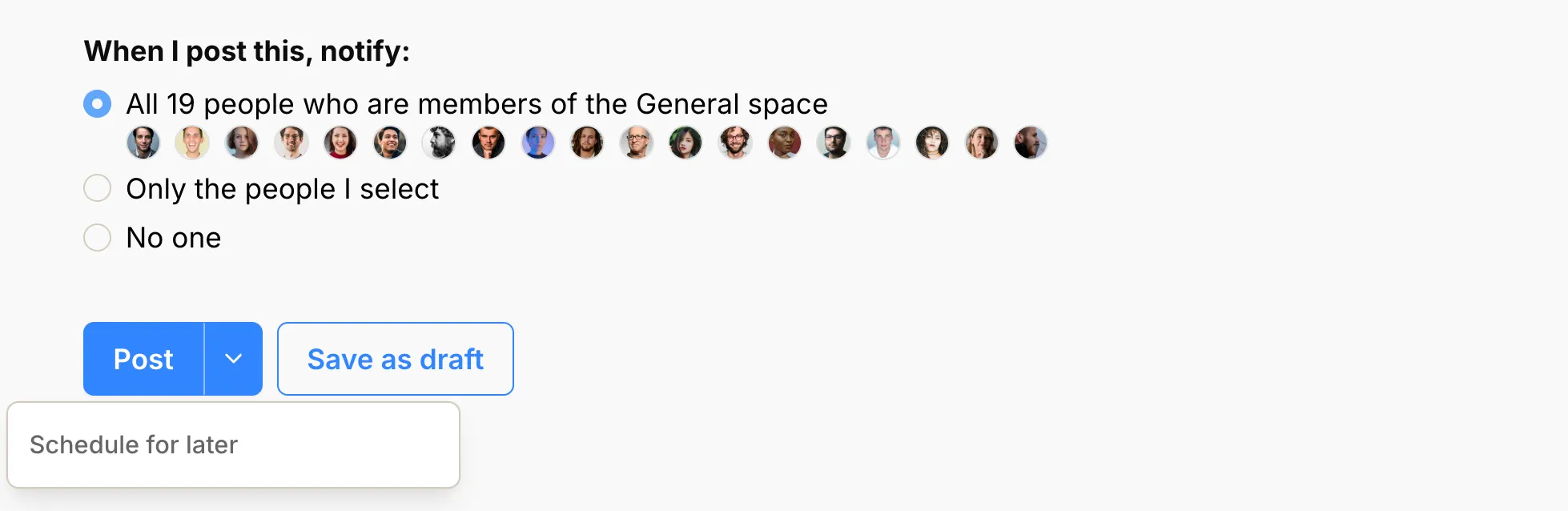
- Choose who to notify (see Choose who to notify for details). By default, all members of the Space (or Goal) will be notified.
- Click Post discussion to publish it immediately, Save as draft to finish it later, or open the posting options and choose Schedule for later.
Note: The process for starting a discussion within a Goal is very similar.
New discussions appear at the top of the list, sorted by the most recently started.
Schedule a discussion#
Use Schedule for later to prepare a discussion now and publish it at a future date and time.
- Open the posting options and choose Schedule for later.
- Select a date and time.
- Click Confirm to save the discussion.
The scheduled time uses your configured timezone and must be in the future. Until it publishes, you can reopen the discussion to edit the content or change the publish date. You can also choose the options Publish now or Save as draft.
Scheduled discussions are visible to their author but stay hidden from other readers until they publish. See Draft a discussion to learn how drafts and scheduled discussions differ.